Written exams and OSCEs for nursing and midwifery colleges. Set up on one computer in your exams office, run over your lab network, and hand the results to your exams office as an Excel sheet the same day.
No internet · No server for you to rent · Nothing to install on lab computers
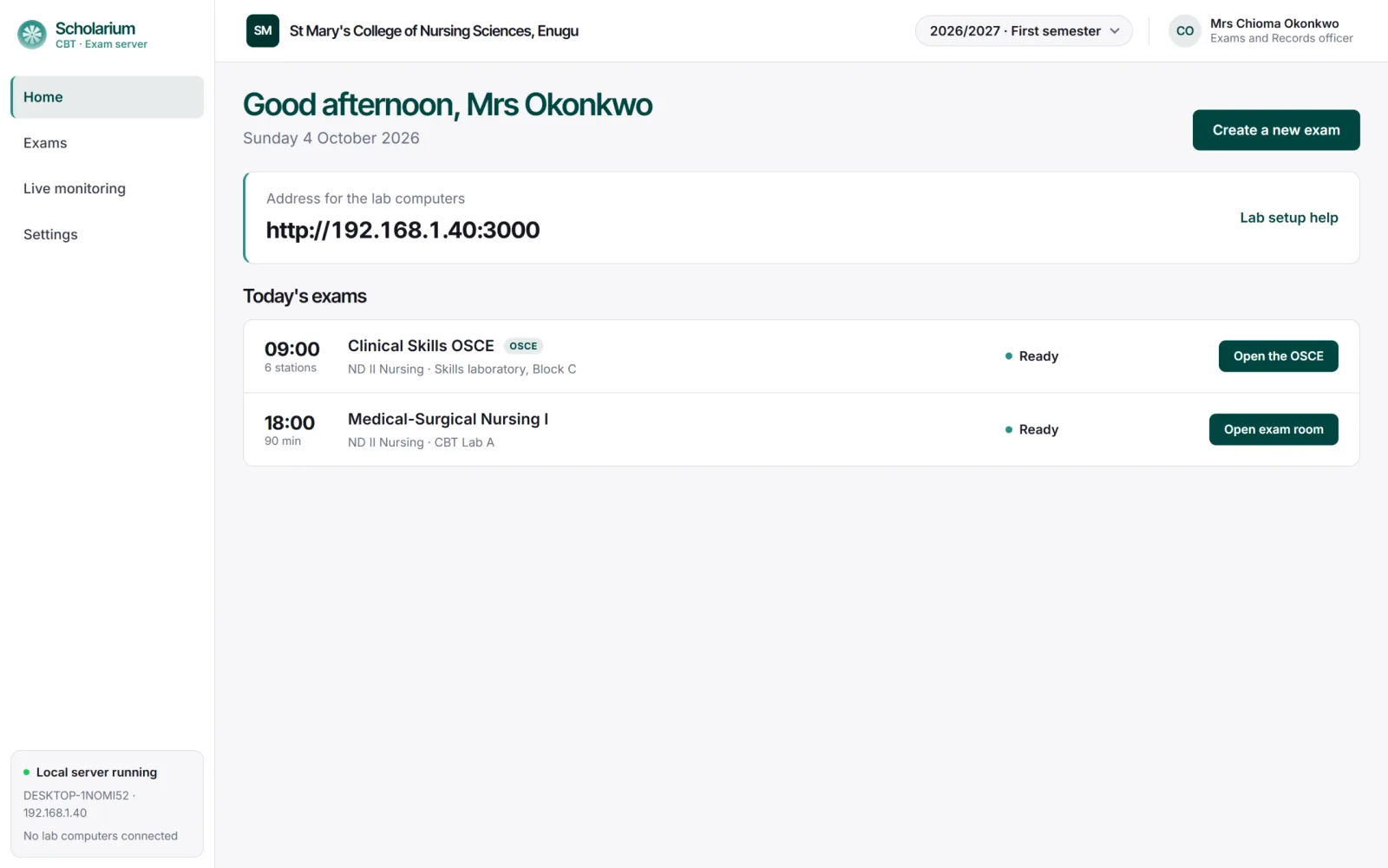
Exams office · Home
2026/2027 · First semester
Exams already run on Scholarium CBT at
Sancta Maria Catholic College of Nursing Sciences
St. Francis Catholic College of Nursing Sciences
Three steps from question paper to result sheet
Your Exams and Records officer runs the whole exam from one screen. Each step has one clear button.
Step 01
Set up the exam
Fill in the course, date and venue. Load the questions from an Excel template, then upload the list of students cleared to sit it.
Step 02
Run it in the lab
Students sign in with their matric number and date of birth, then wait. Click Begin exam and every student starts at the same moment, on one shared timer.
Step 03
Download the results
One click collects every script. Section A is already marked in an Excel results sheet, and theory answers go to the lecturer as one PDF.
What changes when you leave paper behind
The same exam, the same invigilators, the same exams office. Only the paperwork goes.
Task
On paper
With Scholarium CBT
Question papers
Typed, photocopied and kept under lock until the morning of the exam.
Loaded once from an Excel template. Nothing to print or carry.
Marking objectives
Marked by hand, script by script, then checked again.
Section A is marked the moment students submit.
Compiling results
Scores copied into a broadsheet by hand.
An Excel results sheet with locked scores and totals that add up by themselves.
Theory scripts
Bundles of answer booklets passed from office to lecturer.
One PDF per exam, every page headed with the student’s name and matric number.
Impersonation
Checked by eye at the door.
Only students on the cleared list can sign in, and one student cannot sign in on two computers.
Late or absent students
Noted on an attendance sheet.
Marked absent on screen, and their login is locked so no one else can use it.
Features
Built for the way your college already runs exams
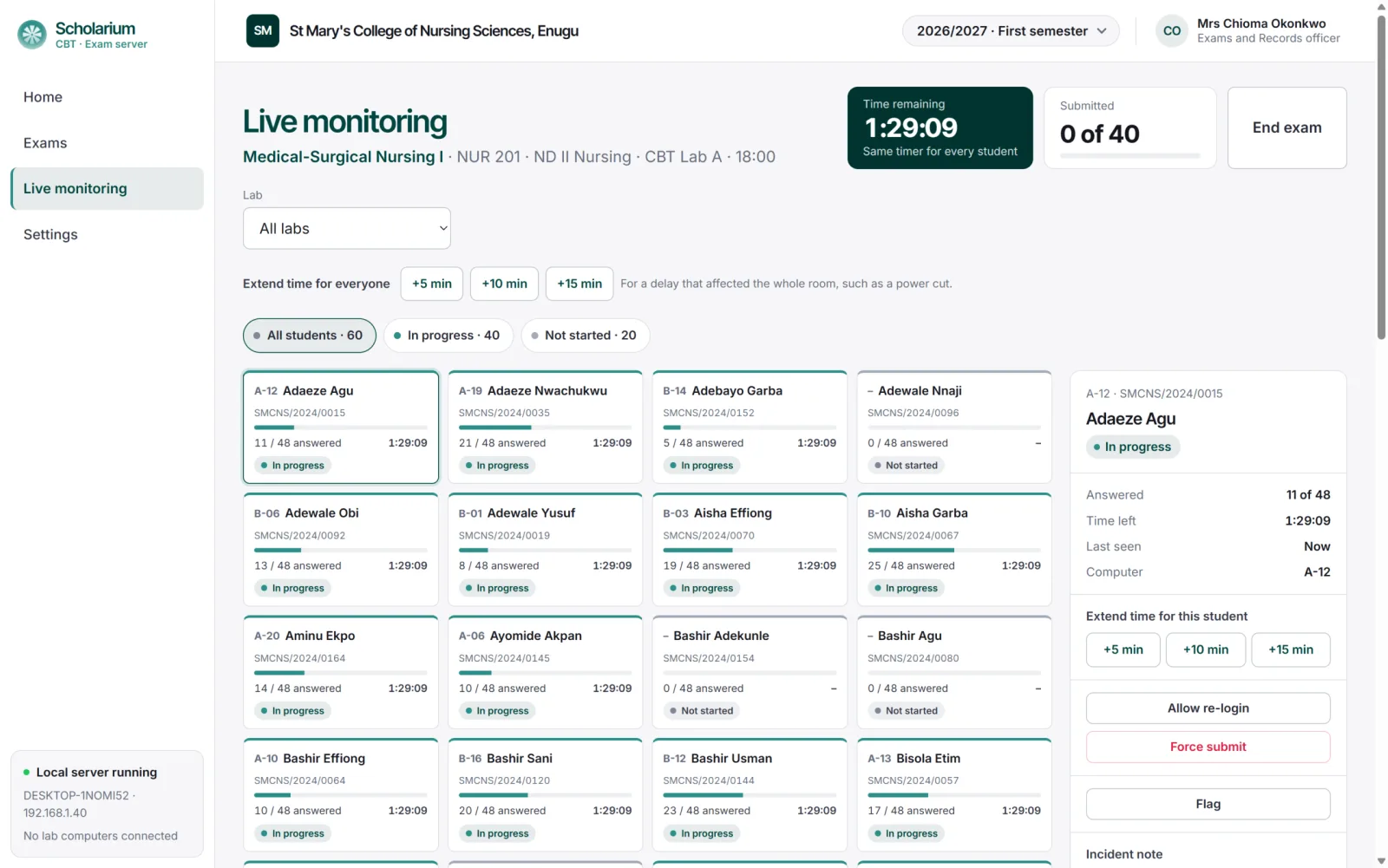
See every seat in the room from one screen
Live monitoring shows who has signed in, how far each student has got and how much time is left. If a computer freezes, let the student sign in again on another seat and their answers are still there.
A card for every seat, with answered count and time left
Extend time for one student or the whole room
Allow a re-login, force submit or write an incident note
Live monitoring
CBT Lab A
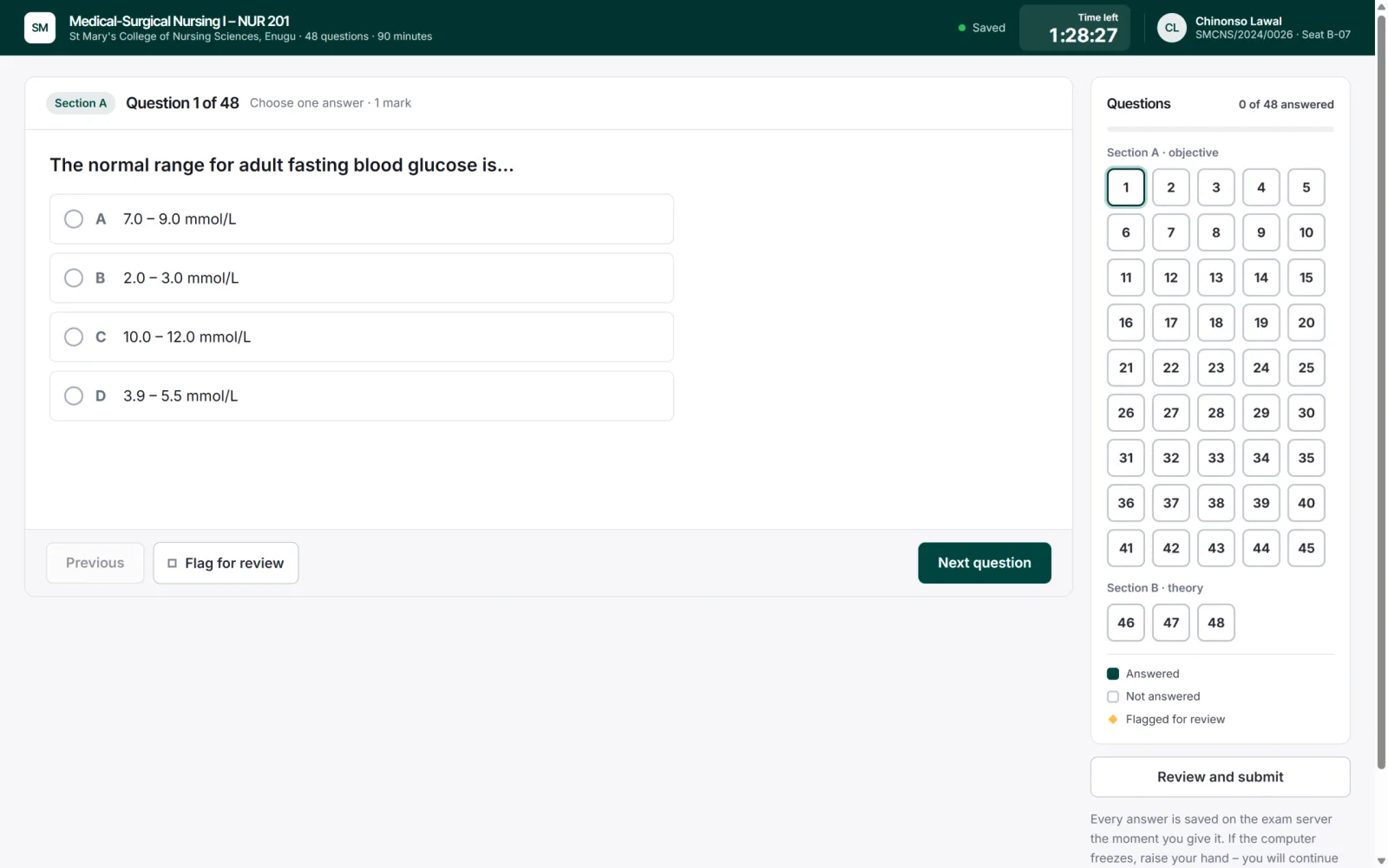
Student screen
Lab computer
A calm screen for anxious students
Large text, one question at a time, and a clear timer. Students sign in with their matric number and date of birth – no PINs to hand out, no slips to lose.
Every answer saved on the exam server as it is given
Questions and options shuffled for each student
A live word counter on theory answers
Results your exams office can use straight away
One click produces two files, saved to the exams folder and copied to USB. The software never emails, uploads or syncs anything – you hand the files over yourself.
Excel results sheet
Section A scores filled in and locked. One column per theory question for the lecturer’s marks, with totals that add up by themselves.
PDF of theory answers
Every student on a new page, with name and matric number on every page header, a score box under each answer and a clickable contents page.
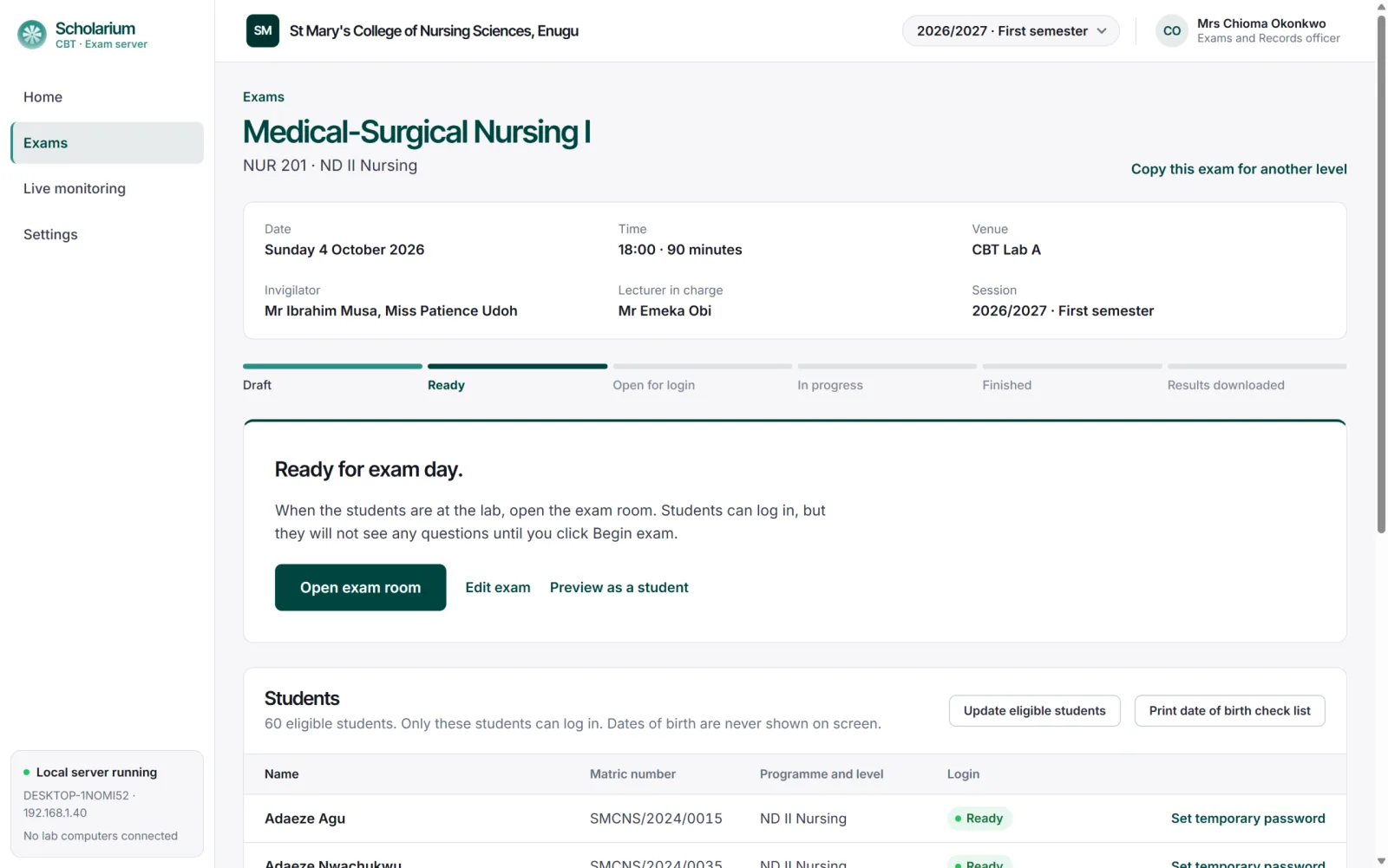
Exam page
Ready
OSCE stations
Your OSCE checklists, scored on a tablet
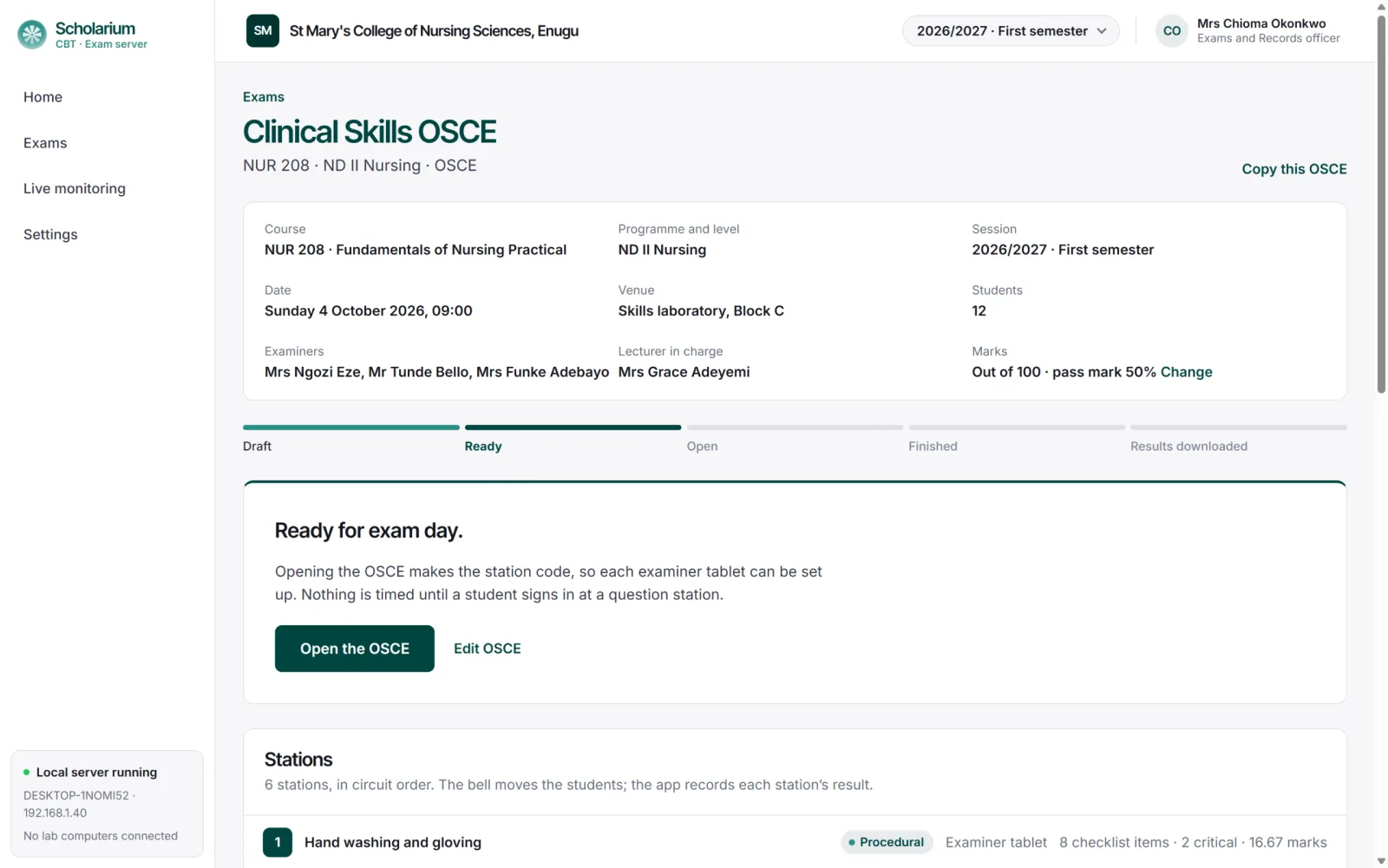
The bell still moves students round the circuit. At each procedural station the examiner types a matric number, confirms the student and taps Done, Partially done or Not done for each checklist item. Question stations run on lab computers with their own short timer.
Critical checklist items are clearly marked, and any missed one is flagged in the results
A student cannot be scored twice at the same station
Every station’s scores join into one OSCE record and one Excel sheet
Clinical Skills OSCE
6 stations
The details that make exam day dependable
Small things that stop an exam going wrong in front of a full lab.
Works fully offline
Runs on one computer in your exams office and reaches the labs over your own network. Exams carry on during a network outage.
Login by matric number and date of birth
No PINs or slips. Small typing differences such as spaces or capital letters are ignored, so nobody is locked out on exam day.
Question template upload
Load a whole paper from one Excel file, including multiple choice, true or false, short answer, theory questions and images.
Eligible students per exam
Upload the list of students cleared to sit each exam, or reuse a list from another exam this period.
Backup and restore
Back up the exam database to a USB drive and restore it on another computer if the server ever fails.
One shared timer
Every student begins together when you click Begin exam, and scripts are submitted automatically when time runs out.
Why it matters to each office
Provost or principal
Exams that start on time, results the same day, and a record of every sitting if a result is ever queried.
Exams and Records officer
One screen and one button at each step. No marking objectives by hand and no broadsheets to type.
Bursar and management
A fixed licence with no internet bills, no printing of question papers and no new server to buy.
IT officer
One computer to look after. Lab computers only need a web browser, and backups go to USB.
What you need on campus
1
One computer for the exam server
A desktop or laptop in the exams office. It holds the questions, answers and results.
2
Lab computers with a web browser
Any recent browser. Nothing to install on them.
3
A local network
A network switch or Wi-Fi router linking the lab to the exam server. No internet needed.
4
Tablets or laptops for OSCEs
One per procedural station, on the same network.
5
A USB drive
For copying result files and keeping backups.
Most colleges already have all of this in their computer lab.
Pricing
One licence per college, every feature included
Pay for the period you need. Longer licences cost less per month. Every college starts with 3 months free.
Prices in naira, per college. Every licence includes written CBT, OSCE stations and support by phone and email.
Questions colleges ask us
Anything else, call the support line on 0905 791 0166.
Do we need internet to run an exam?
No. The exam server is a computer in your college, and lab computers reach it over your own network cable or Wi-Fi. Exams run the same during a network outage in town.
What happens if there is a power cut or a computer freezes?
Every answer is saved on the exam server the moment the student gives it. Move the student to another seat, allow them to sign in again, and they continue where they stopped. You can extend time for one student or the whole room.
How do students log in?
With their matric number and date of birth, checked only against the list of students cleared for that exam. A student not on the list cannot sign in and is sent to the exams office.
Can lecturers still set theory questions?
Yes. Section B theory answers are typed by students and collected into one PDF for the lecturer to mark, with a score box under every answer. Marks go into the Excel sheet afterwards.
Does it send our results anywhere?
No. The software never emails, uploads or syncs. Results are saved to a folder on the exam server and copied to USB, and your officer hands them over in person.
Who sets it up, and how long does it take?
We set up the exam server with your Exams and Records officer and check your lab before the first exam. Lab computers only need a web browser, so there is nothing to install on them.
What if we already have exams in Word or Excel?
Questions are loaded from an Excel template. Copy your questions into it, upload, and the app lists any row with a problem in plain words, for example a question with no correct answer chosen.
Free for your first 3 months
Download Scholarium CBT and use every feature free for 3 months – written exams, OSCEs, live monitoring and Excel results. Our support line helps you set up the exam server and your lab. After 3 months, choose the licence that suits your college.
Thank you. We have your details and our support line will help you set up the exam server and your lab. Scholarium CBT is free for your first 3 months.