Scholarium replaces the admission file, the fee ledger, the result sheet and the transcript log with one record per student — and gives each office its own view of it.
Online application forms per programme and session, a single review queue with documents attached, and approval that creates the student record and sends the admission notice.
One searchable register, one file per student — personal details, educational history, registered courses, fee position and results on tabs, with cohort promotion in a single action.
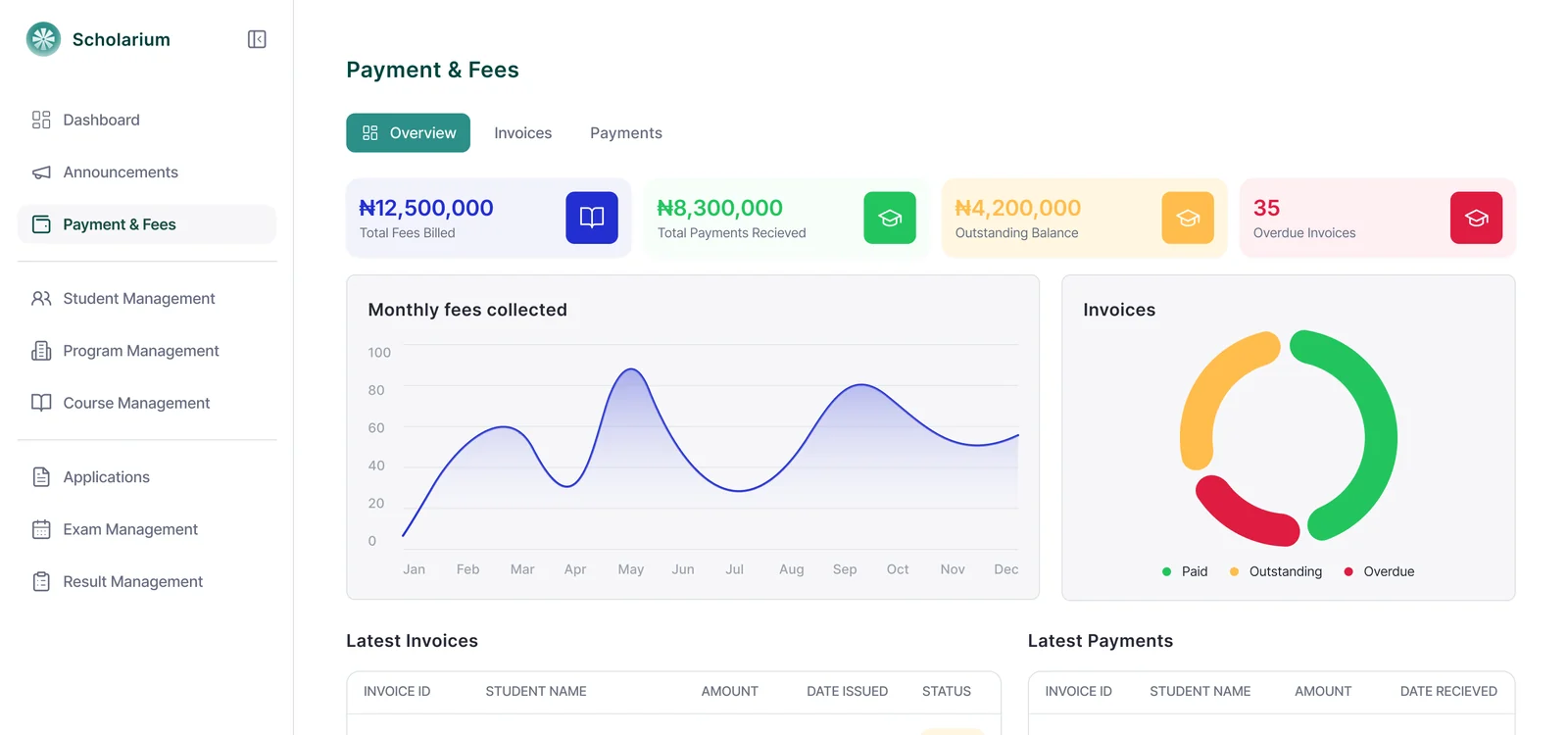
Fee heads defined once, invoices raised per programme, level or student, payment by card or transfer through Paystack, Flutterwave and Monipoint, receipts and reconciliation handled for the bursary.
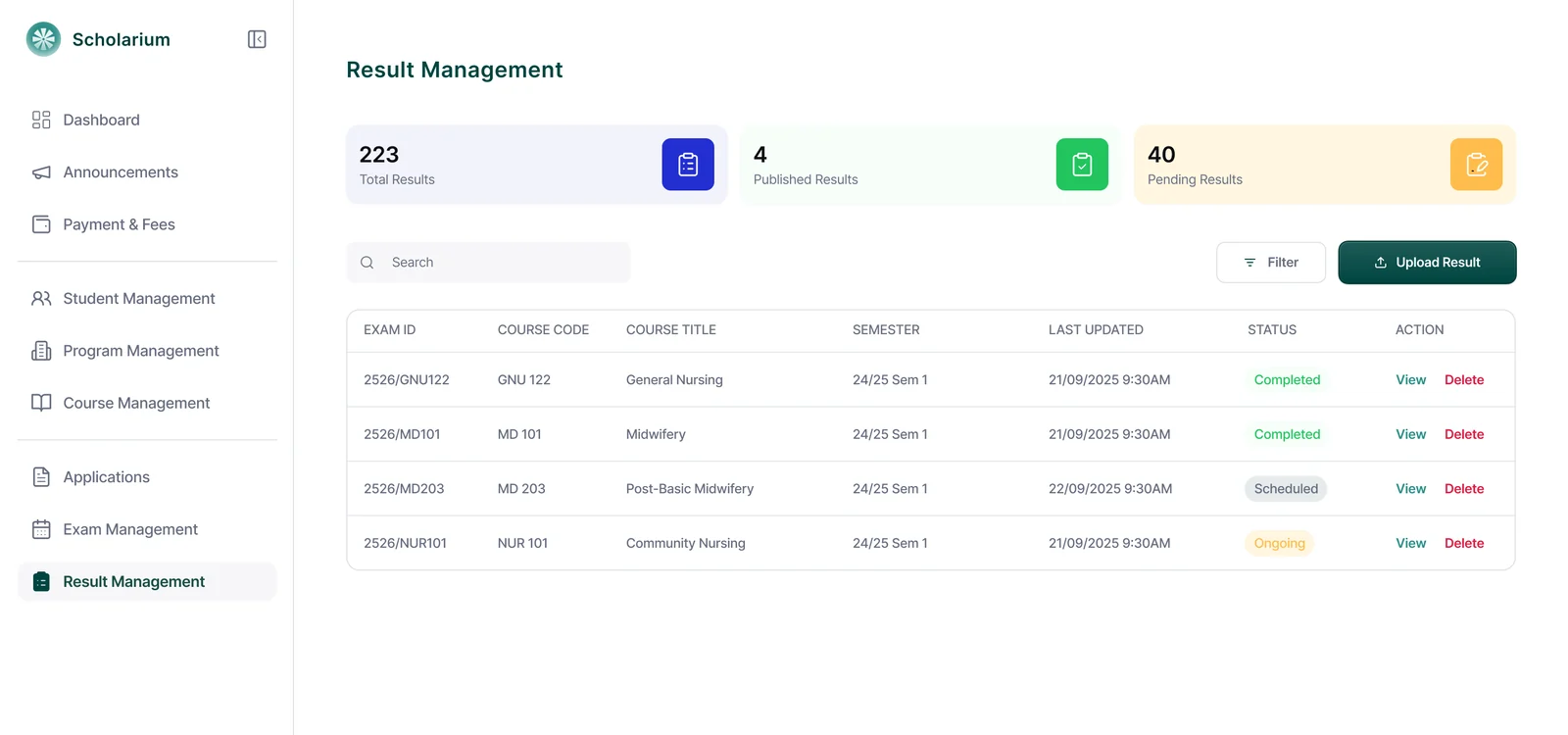
Excel or CSV upload with column mapping and validation, grades and GPA computed to your grading rule, draft-then-publish control, and instant notices when a semester goes live.
Students request and pay in the portal; the registry clears, compiles from published results, dispatches and records who did what — no paper transcript log.
NDPR-aligned handling, AES-256 encryption in transit and at rest, role-based access per office, audit trail on every change, daily encrypted backups and retention up to twenty years.
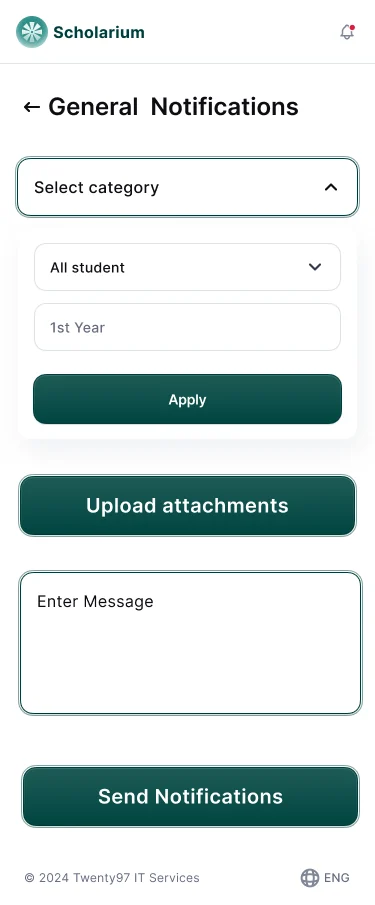
Admission decisions, fee reminders, published results and announcements delivered by email and in-portal, targeted to everyone, a programme, a level or one student, with a sent log.
Module 01
Admissions & Applications
Publish an application form for each programme and session. Applicants register, pay the application fee and submit — every entry lands in one queue with its documents attached.
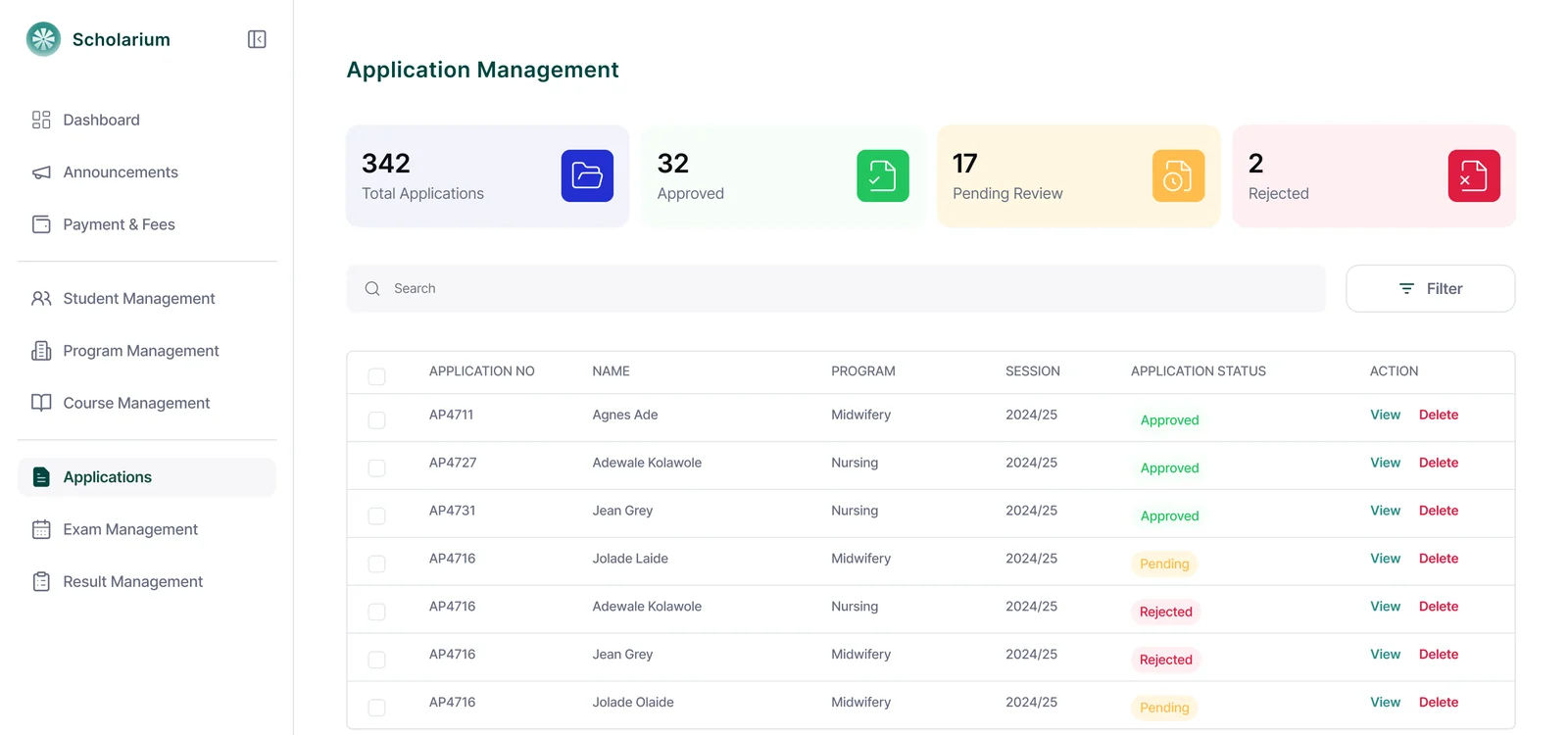
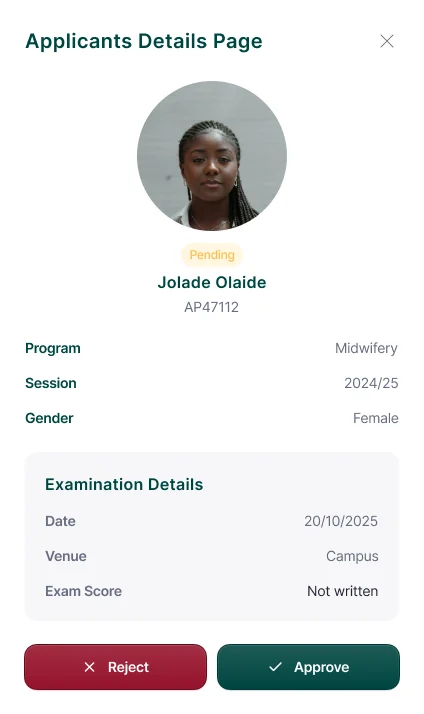
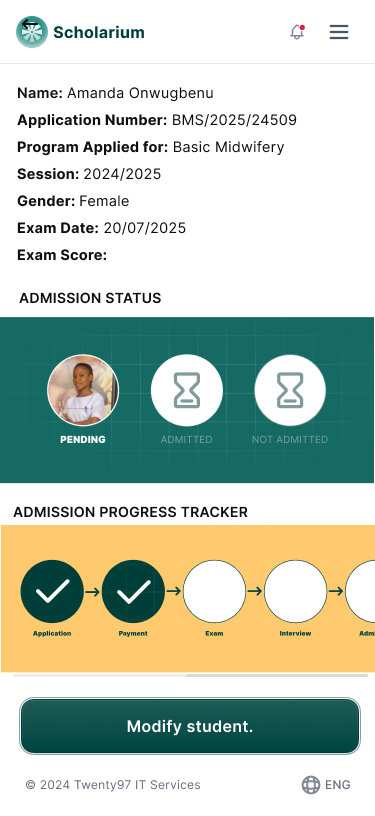
Reviewers open a file, check educational history and uploads side by side, and record a decision. Approving an applicant creates the student record, assigns a matriculation number and sends the admission notice.
Queue filtered by programme, session, payment and decision state
Document verification inside the application file
Approval creates the student record — no re-typing
Decisions stamped with reviewer and timestamp
Application queue
Applicant file
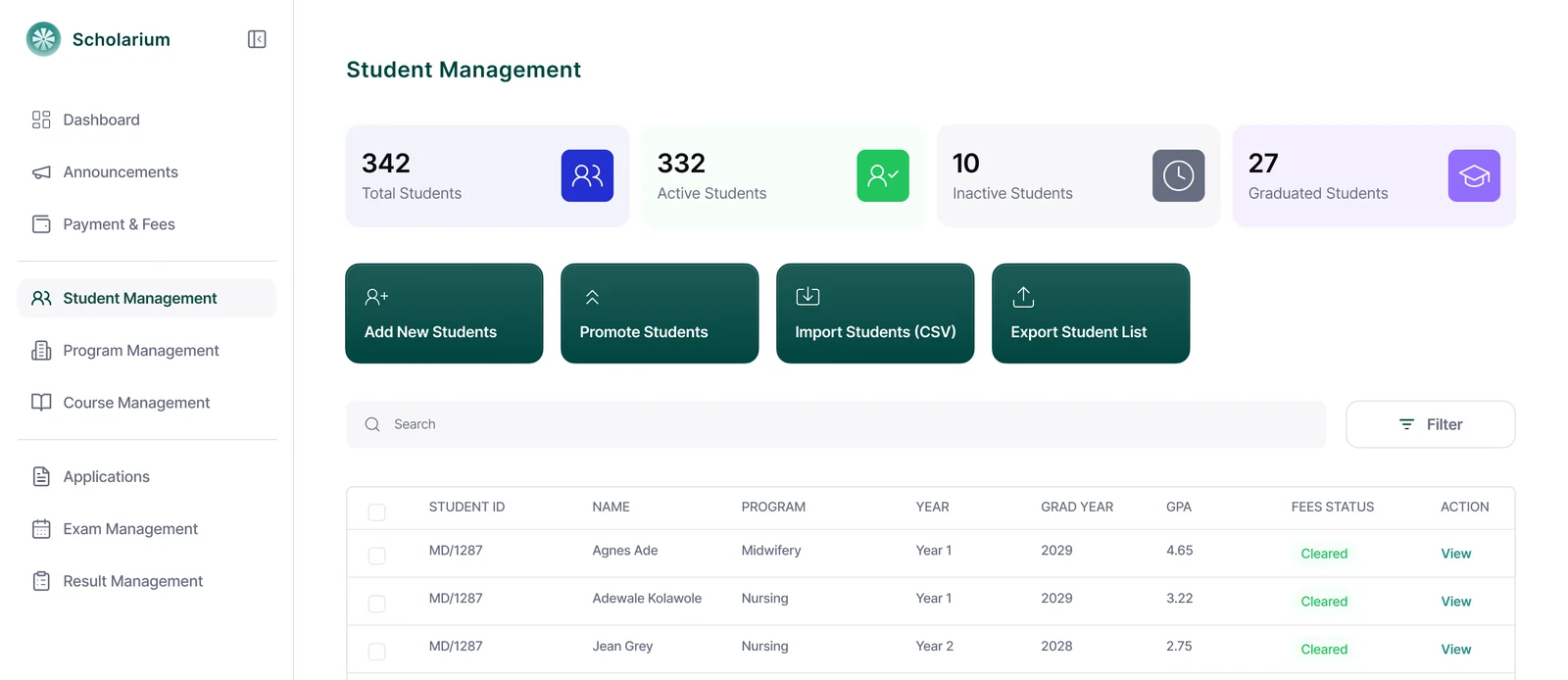
Student register
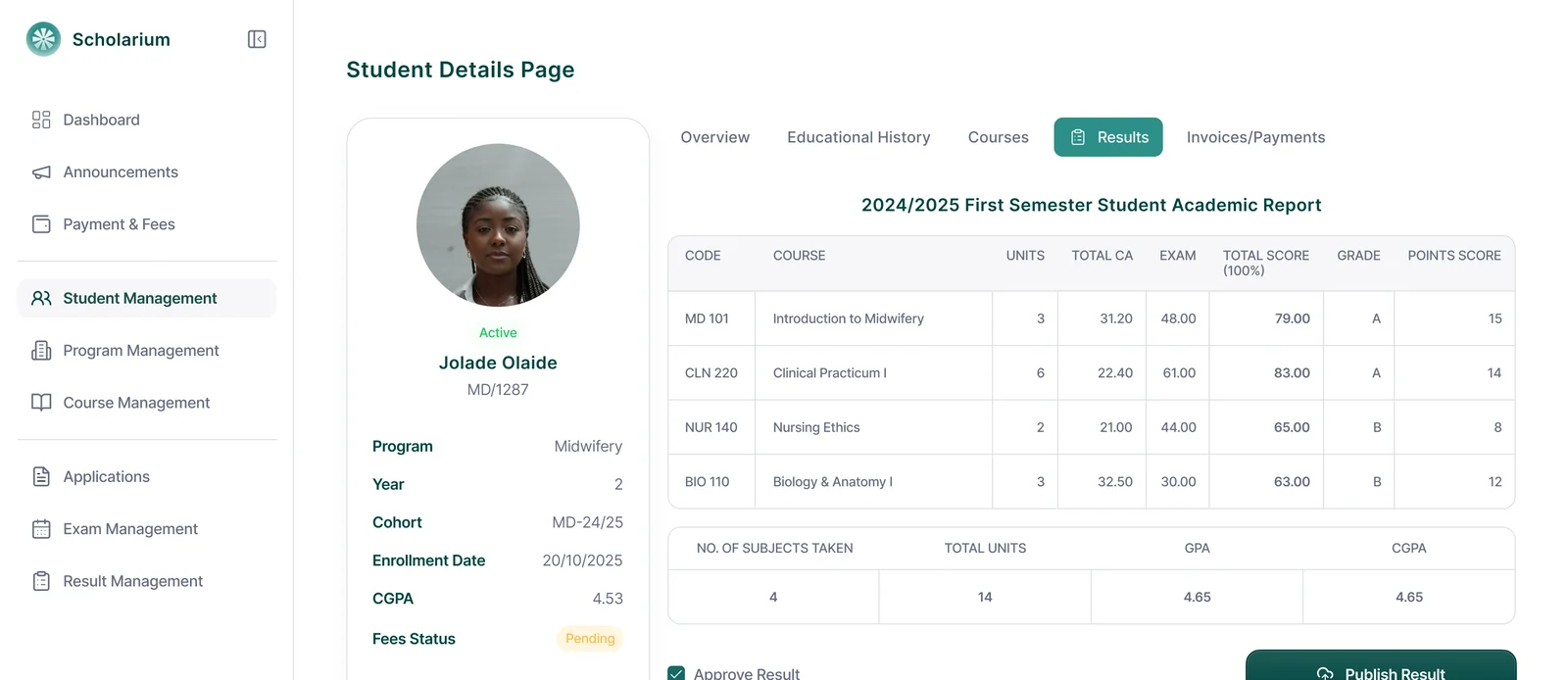
Academic performance
Module 02
Student Management
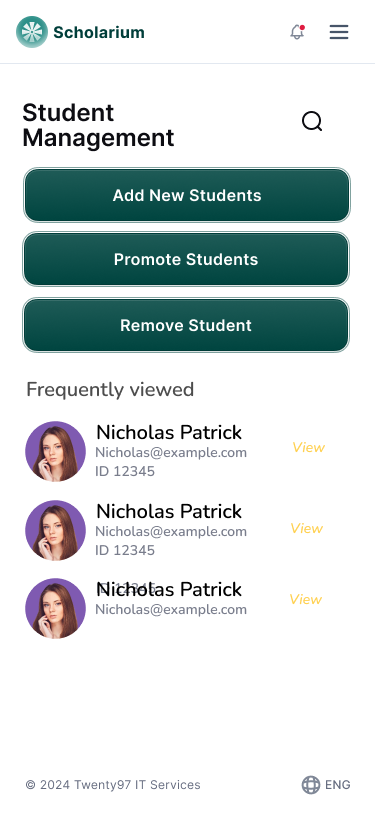
One durable file per student, opened from a searchable register. Personal details, educational history, registered courses, fee position and results sit on tabs inside the same record — so the bursary and the registry are never working from different copies.
Promotion moves a whole cohort up a level in one action. Editing is permitted by role, and every change is logged against the person who made it.
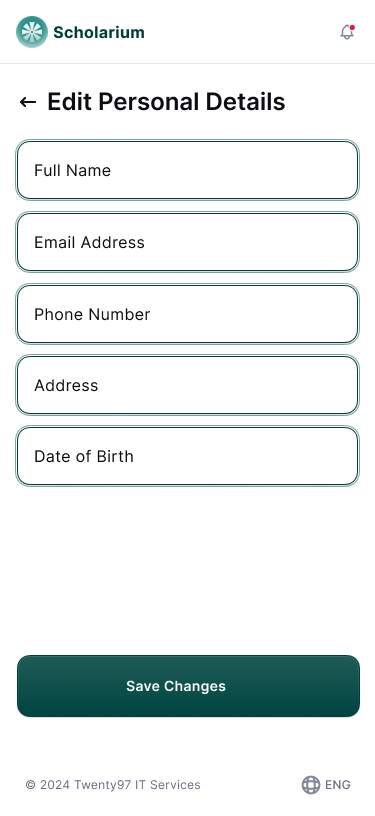
Personal details
Educational history
Registered courses
Fees
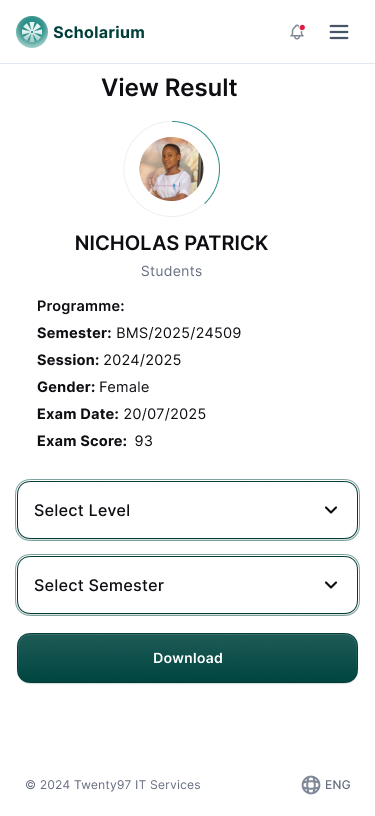
Results
Module 03
Payment & Fee Management
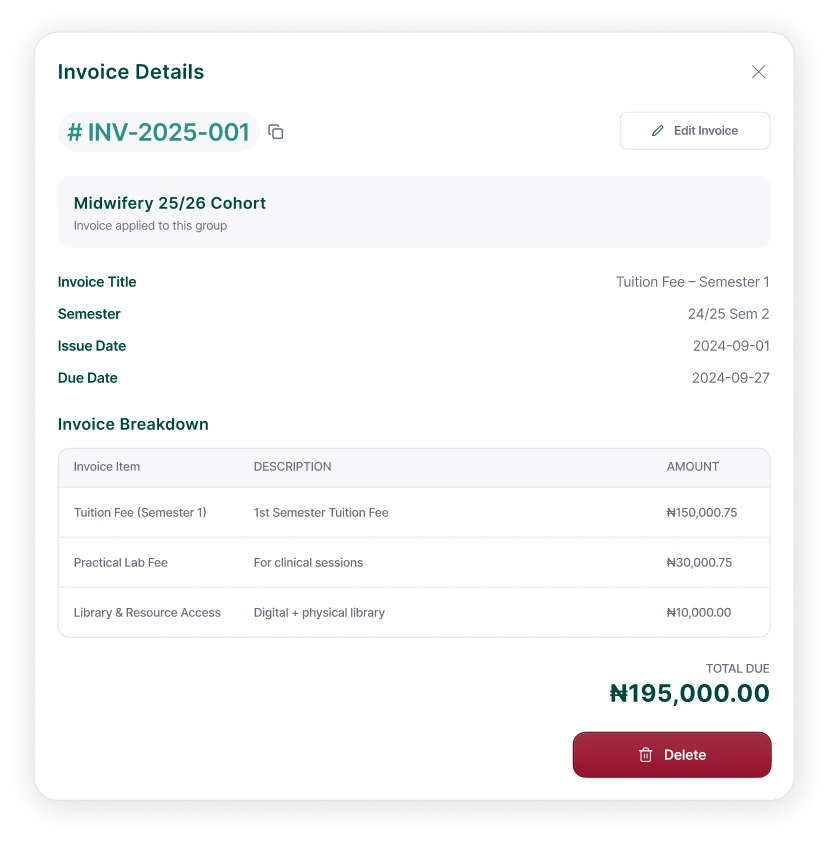
Define fee heads once — tuition, acceptance, hostel, practical, transcript — then raise invoices for a programme, a level or a single student. Students pay from their own portal by card or bank transfer through Paystack, Flutterwave or Monipoint.
Payments post straight to the student’s ledger with a receipt. Part-payments are tracked, outstanding balances are listed by cohort, and the bursar exports a reconciliation at any point in the term.
Invoices per programme, level or individual student
Automatic receipts and part-payment tracking
Outstanding-balance lists and fee reminders
Gateway settlement reconciled against the ledger
Fee overview
Invoice
Result register
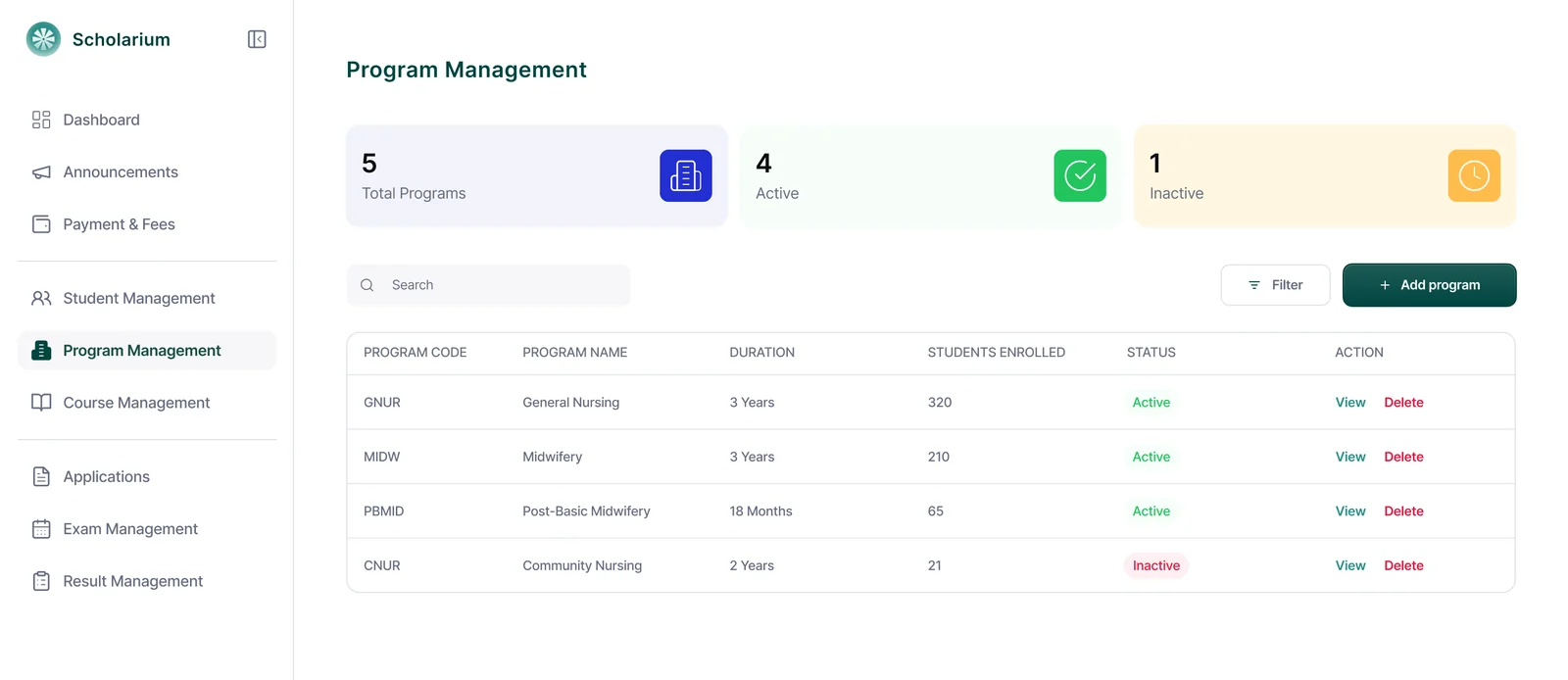
Programmes & courses
Module 04
Result Management
Lecturers upload the Excel or CSV sheet they already keep; Scholarium maps the columns, validates the scores and flags missing entries before anything is saved. Grades, GPA and CGPA are computed to your college’s own grading rule.
Results stay in draft until the registry publishes. On publication students are notified instantly, and promotion lists for the next level are generated from the same data.
Draft
Uploaded, not visible to students
Scheduled
Set to release on a date
Published
Live, students notified
Module 05
Transcript Requests & Fulfilment
The transcript log leaves the drawer. Students raise a request, pay the fee and watch it progress; the registry works a queue instead of a stack of letters.
Stage 01
Requested
Student names the recipient institution and delivery method, and pays the transcript fee in the portal.
Stage 02
Cleared
The registry confirms the student has no outstanding fees or results, straight from the same record.
Stage 03
Compiled
The full academic record is generated from published results — no manual copying of grades.
Stage 04
Dispatched
Sent to the recipient and marked fulfilled, with the date, officer and destination kept on the record.
Module 06
Security & Backups
Student records are regulated data. Scholarium is built to NDPR expectations: data encrypted with AES-256 at rest and in transit, role-based access for every office, and an audit trail on every edit, approval and publication.
Backups run daily, encrypted, to separate storage, with point-in-time restore and retention configurable up to twenty years for archival student records.
AES-256
Encryption at rest and in transit
Daily
Encrypted off-site backups
20 years
Configurable record retention
NDPR
Nigerian data protection compliant
Module 07
Real-Time Notifications
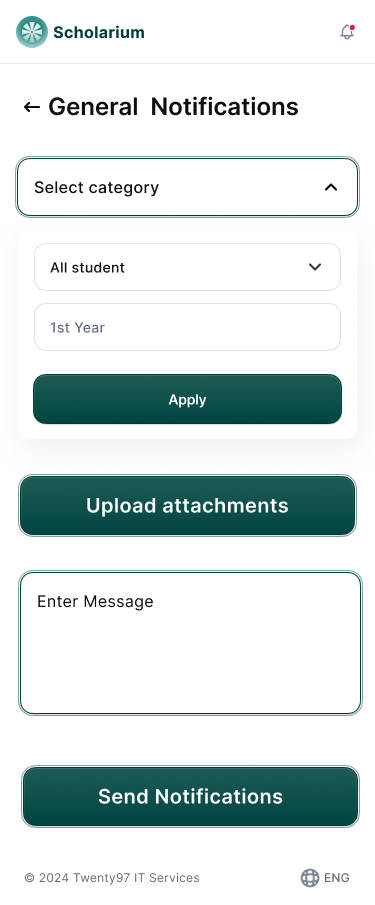
Admission decisions, fee reminders, published results and college announcements reach students by email and in the portal the moment they are issued — no notice board, no WhatsApp broadcast list.
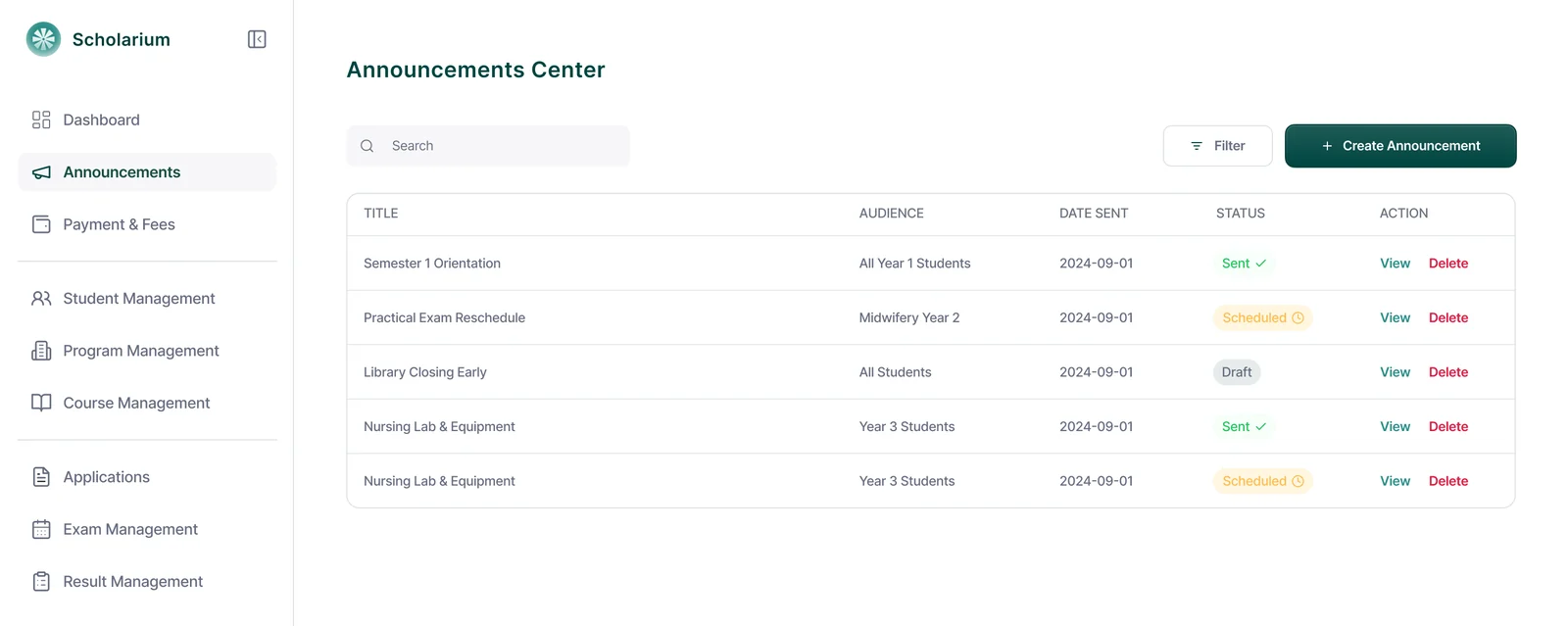
Send to everyone, a programme, a level or one student, and see what was sent, to whom and when.
Targeted announcements by cohort or individual
Automatic notices for admissions, fees and results
A sent log the registry can point to later
Send a notice
Announcements
Future updates
Two modules on the way
Included in your existing plan when they ship. Colleges on a trial now get early access as each module opens.
Locum Jobs Board
In development
Paid, non-clinical shift work for students who have reached 300 level, offered by hospitals near your college. Shifts are posted by the hospital, students apply from inside the portal, and the registry can see who has taken what.
Eligibility gated on level, so only 300 level students see listings
Non-clinical roles only — reception, records, portering, support
Hospitals verified by us before they can post a shift
Student Marketplace
Planned
A buy-and-sell board scoped to a single school: textbooks, scrubs, instruments, hostel items. Familiar in shape to a marketplace students already use, but closed to their own institution.
Listings visible only to verified students of your college
Category browsing with photos, price and seller level
Reporting and takedown controls for the student affairs office
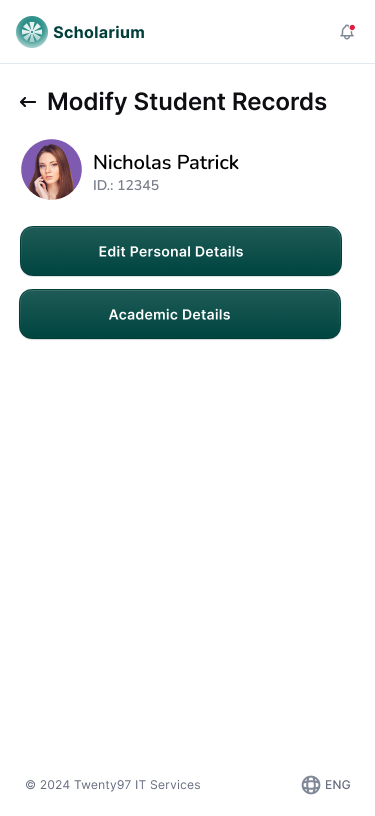
The same portal in a student's hand
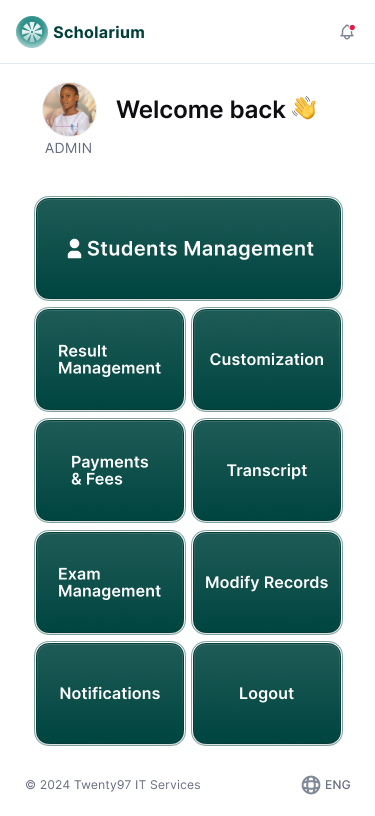
Students check fee balances, registered courses and published results from a phone browser. The student side is laid out for small screens, not shrunk down from the admin view.